Six Simple Browser Extensions to Support Emotional Regulation
Inside: How browser extensions can be part of your strategy for emotional self-regulation. Learn about six free extensions that are easy to use and make your day easier, calmer, and happier.
As you click the close button on your browser, you suddenly realize that your back hurts… As you stretch, you realize your jaw is tight, and you have a sudden headache. Or was it there before, but you didn’t realize it? Surely it didn’t come on this quickly?
We have all been there.
We get so wrapped up in a project or on our overwhelming to-do list that we forget to take time to take care of ourselves. Often, you don’t notice how emotionally dysregulated you are until the headache, back pain, and sore jaw remind you that something is more than a little off.
The good news is some great extensions can be added to your web browser to help you stay better regulated so you can avoid
Headaches
Jaw tension
Snapping at the person working next to you
Table of Contents

What Exactly Are We Talking About?
Let’s start with a couple of quick definitions
Emotional Regulation/ Self Regulation
When we talk about emotional regulation, we are talking about those times when we might feel a little bit overwhelmed, stressed, or anxious.
Or when we feel more than a little bit of each of those things.
Extensions
When we talk about extensions to support emotional regulation, we are talking about those small programs that get added to Chrome or other browsers to add just a small extra function. You can use these extensions on the internet using these browsers.
Getting to the Good Stuff for Emotional Regulation
There are many different extensions that can be used for emotional regulation. In this article, I will discuss six that I have found to be the most effective across age levels and environments.
Momentum
Momentum has both a free and a paid version.
You're going to get most of the features in the free version. However, when you first sign up, you will also get a trial of the paid version features, so you can decide if those are important enough for you to keep.
Let's look at how Momentum works.
This is a fun extension because you do not need to go to the little navigation bar and choose Momentum.
Instead, once it is added, you will simply open a new tab. Once Momentum is added, instead of taking you to a standard new tab page, such as a Google search, it's going to bring you to a screen that looks similar to this:
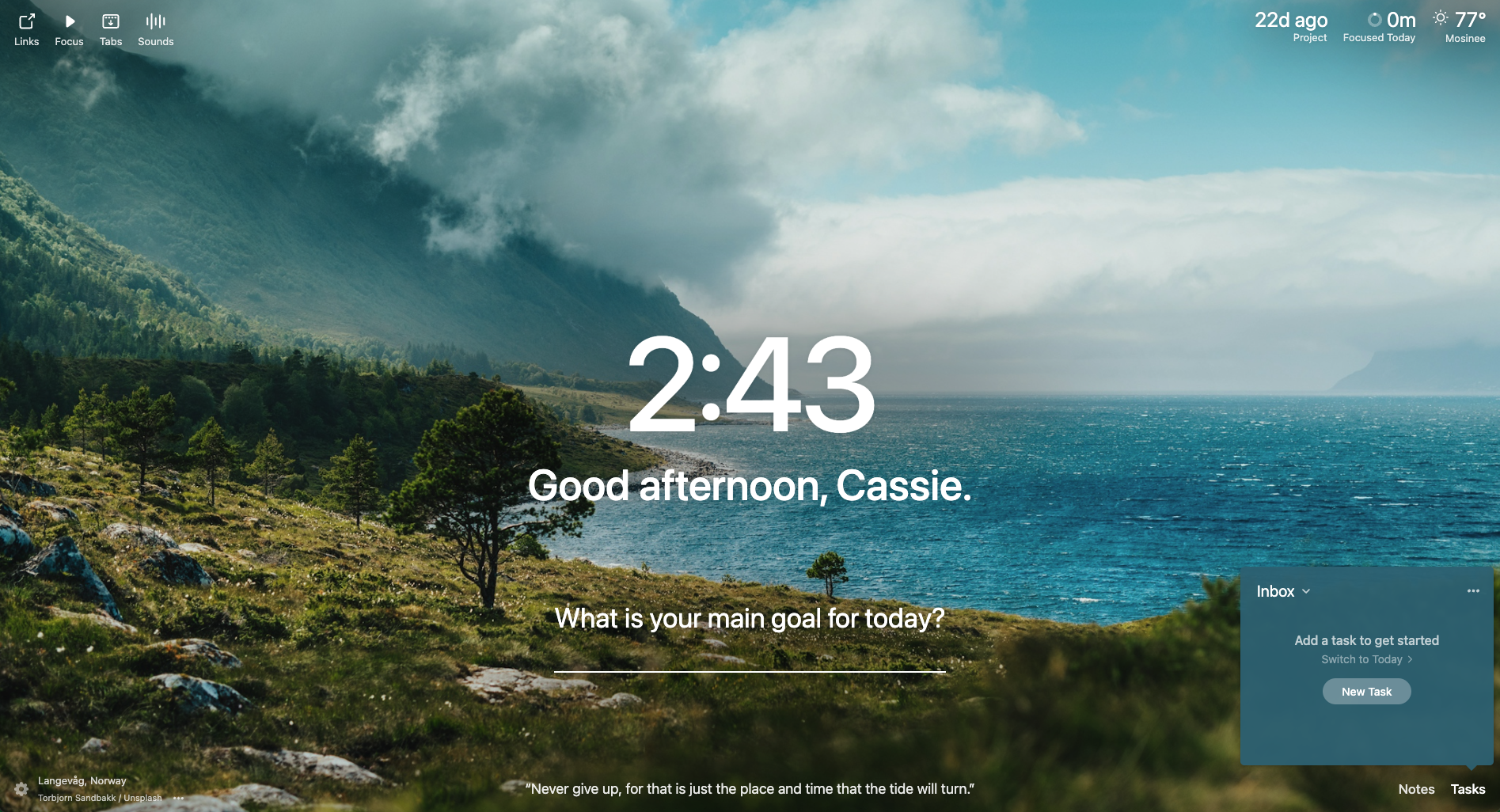
Momentum’s screen will provide:
A calming nature scene background
The time to help you orient
A Question: What is your main goal for today?
Once you've identified your main goal, it will remind you of it every time you open a new tab.
Other features:
Momentum provides a daily inspirational quote at the bottom of the page.
It also offers a To-Do list in the bottom corner. This allows you to create to-do lists that you will be reminded of every time you open a new browser tab. This is great for avoiding tasks becoming “out of sight, out of mind.”
On the upper left, there is a place called “Links” to keep track of bookmarks. You know, the little things you save to your browser that you never look at ever again? You can instead put them in Momentum and have them easily accessible with every new tab.
Momentum Plus (paid version)
Momentum Plus has some nice additional features. Many of these can be found for free in other apps and extensions, so having all of these tools in one place is mostly a matter of convenience.
Focus—This feature works as a Pomodoro timer, allowing you to set scheduled focus and break times. You can also set an intention and use this to block specific websites during your focus time.
Sounds- This feature provides a variety of soundscapes such as:
Ocean
Campfire
Beach
Tabs- This feature will take all of your current tabs, group them together, and “hide” them so you can focus on the single task you are trying to complete.
Countdown- You can also add a countdown to an upcoming event or task deadline.
One of Momentum's great benefits for emotional regulation is that it gives you all of the tools you need to use the internet and go about your workday in one place.
It doesn't lead you down a rabbit hole like a search engine as your new tab might. Instead, it gives you all of the things that you need, along with
a calming background
your goals for the day
support for focusing
Momentum in the Chrome Web Store
Calm
Many people are aware of Calm, an app that offers breathing exercises and a variety of guided meditations. This free extension is a simple way to use some of Calm’s features without committing to the full app/website.
The Calm extension will let you block the website you are currently on, helping you to break some habits.
It also has a breath bubble to guide you through some deep breathing exercises.
This is a very easy way to access some of Calm’s emotional regulation techniques without leaving your browser.

In the Calm extension, you will notice that the nature and meditation features take you out of the extension and to the Calm website. Once there, you have access to nature sounds as well as some basic meditations.
Confetti Cannon
This one is just a little more fun. It can bring a smile when the day just feels
Long
Stressful
Never-ending
Confetti Cannon is a really fun extension to make people smile and to celebrate the little wins.
Picture this- You are in a Zoom meeting, and something really good happens. Or maybe something just sort of good, but it has been a really long day and you just need a reason to celebrate.
Click the confetti cannon extension, and it will provide confetti across your screen.
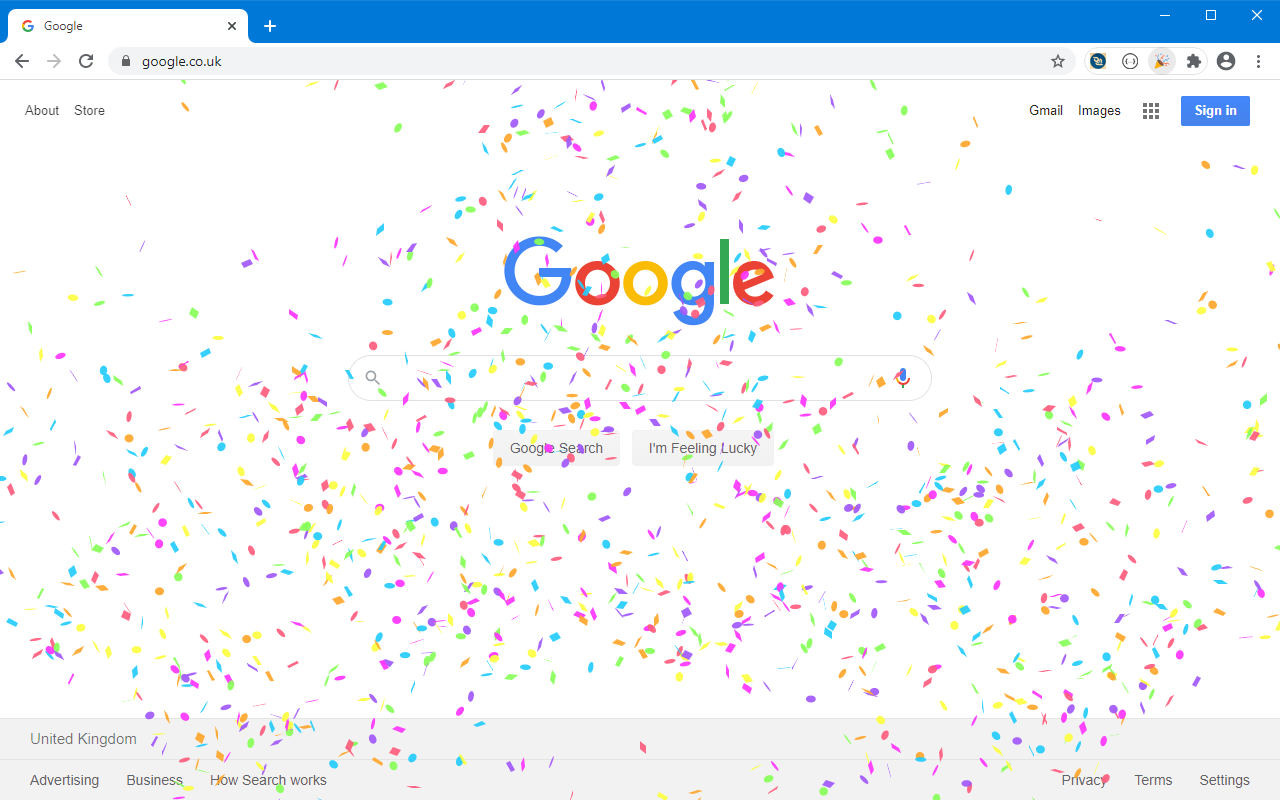
This extension is not super deep, like Calm and Momentum. But sometimes, when the day's just been a little bit rough, having something like a confetti cannon to say, “Woohoo! We did this!” can be a really positive thing.
Countdown Timer
This simple, useful, free timer is a great way to keep track of things without needing to reach for your phone every time you need a timer.
When you click on this extension, you simply get a little block with some timers on it.
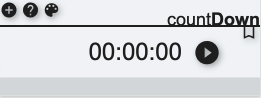
When I hit the play button it will start timing how long something takes. This is a really easy way to
track how long a certain project might be taking
Remind you to take movement breaks
Keep track of habits such as a certain amount of reading time each day
Countdown Timer in the Chrome Web Store
Move It
Move It is a free extension that works within your browser to prompt you for movement breaks.
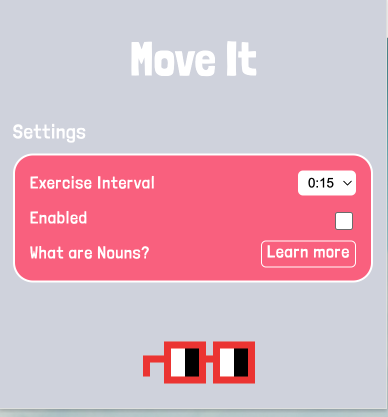
With this extension, you can choose how often you want to take a movement break. You can set it in five-minute increments from 5 minutes to 55 minutes.
Once your time is up, the screen will change, and a reminder will pop up along with a recommendation for a certain exercise.
This is a great way to keep yourself moving throughout the day because movement is known to help with emotional regulation. Having a reminder in your day to take a break and move can be a very positive emotional regulation tool and will help avoid back and neck pain from staying hunched in one position at your desk.
Move It in the Chrome Web Store
Noisli
Noisli is an extension that provides you with both a timer and a variety of sounds that are meant to help you relax and focus.
There are three free soundtracks built into the extension:
Productivity
Random
Relaxed
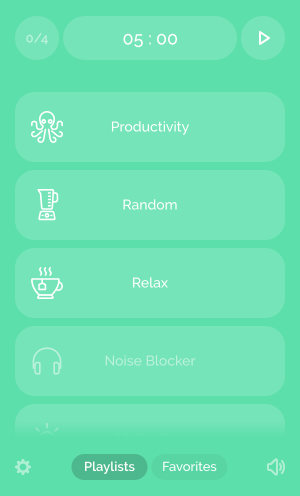
These ‘soundscapes’ play in your browser while you work to help you block out unwanted noise and help you relax.
If you want to go further, Noisli’s website has additional settings. Clicking in the extension will take you directly to Noisli’s website where you can create custom sounds with a variety of noises to combine and mix together.
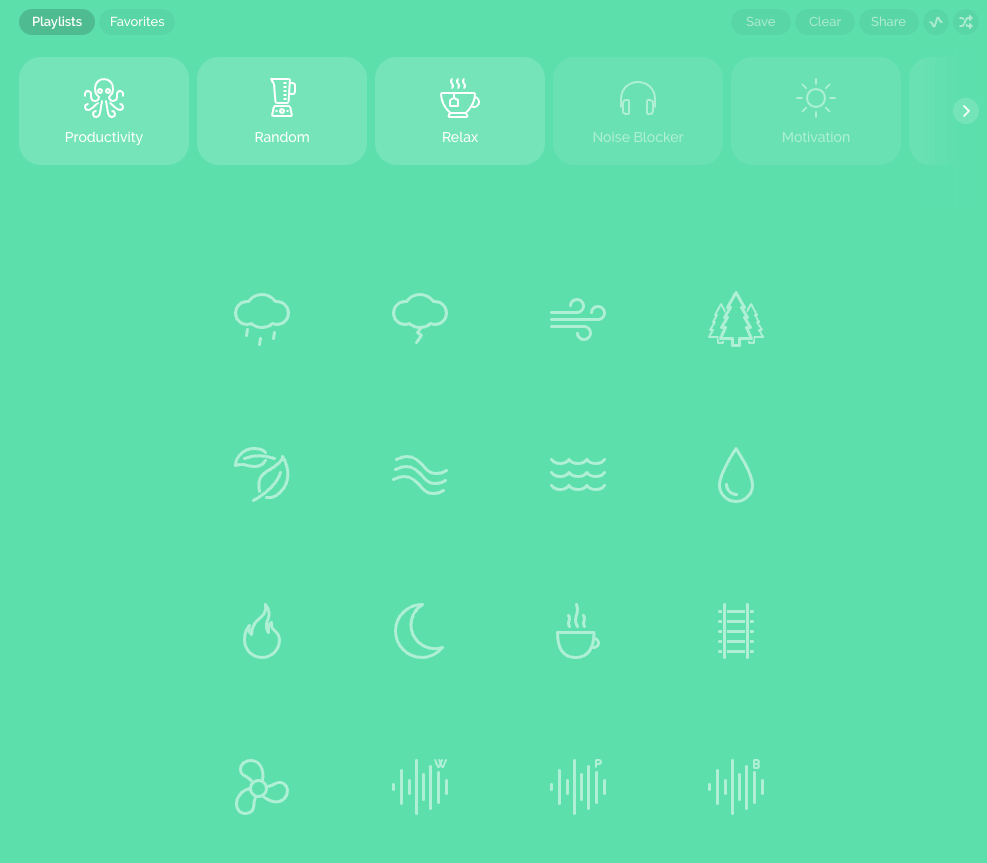
The paid version of Noisli offers more options for soundtracks and individual sounds, so if there is a specific sound you find most relaxing, you may want the paid version of Noisli so you can use those.
Avoiding the Pain
Using extensions for emotional regulation is that easy. You can use the links above or search your browser’s extension store to download any of these extensions.
Once you have done that, you can use these throughout your day, either at work, school, wherever you are using the browser to help yourself stay more emotionally regulated.