Easy Low-Tech Tools for Reading
She set the book down for the third time.
Not because she did not want to read it. Not because the story was not good. But because holding it open — keeping the pages from flopping shut, keeping her grip steady, keeping her eyes from jumping all over the page — had become more work than the reading itself.
Sound familiar?
For a lot of people, reading is not hard because of the words. Reading is hard because of everything else — the grip, the glare, the neck strain, the eyes that will not cooperate. And when someone finally asks for help, the first thing most people reach for is an app. A program. Something with a power button.
But some of the most effective reading supports do not need charging.
They do not need a tutorial, a password, or a monthly subscription. They sit on shelves at office supply stores and home goods shops, passed over every single day by people who have no idea what they’re missing.
Here are five of the most practical — and most overlooked — low-tech reading tools out there. And who they can help might surprise you.
Table of Contents
Document Holders, Book Stands, and Easels
It Is Not Just a Kid Problem
Before we get to the tools, let us clear something up.
When most people hear "reading support," they picture a student. Maybe a younger kid sounding out words, or a middle schooler with an IEP.
But reading challenges do not stop at graduation.
They show up in the older adult who loves mystery novels but cannot hold a hardcover open long enough to finish a chapter. The nurse reviewing paperwork between patients, neck aching from hours of looking down. The professional who has always struggled to keep their eyes tracking across a line but assumed that was just how reading felt for everyone.
These tools are for all of them.
The Thumb Book Holder
This one might be my favorite tool to pull out of my bag.
The holder slides over your thumb, with a small piece extending out on both sides. When you hold a book, those extensions force the pages open. No second hand. No grip strength. No wrestling with pages that snap shut the moment you loosen your hold.
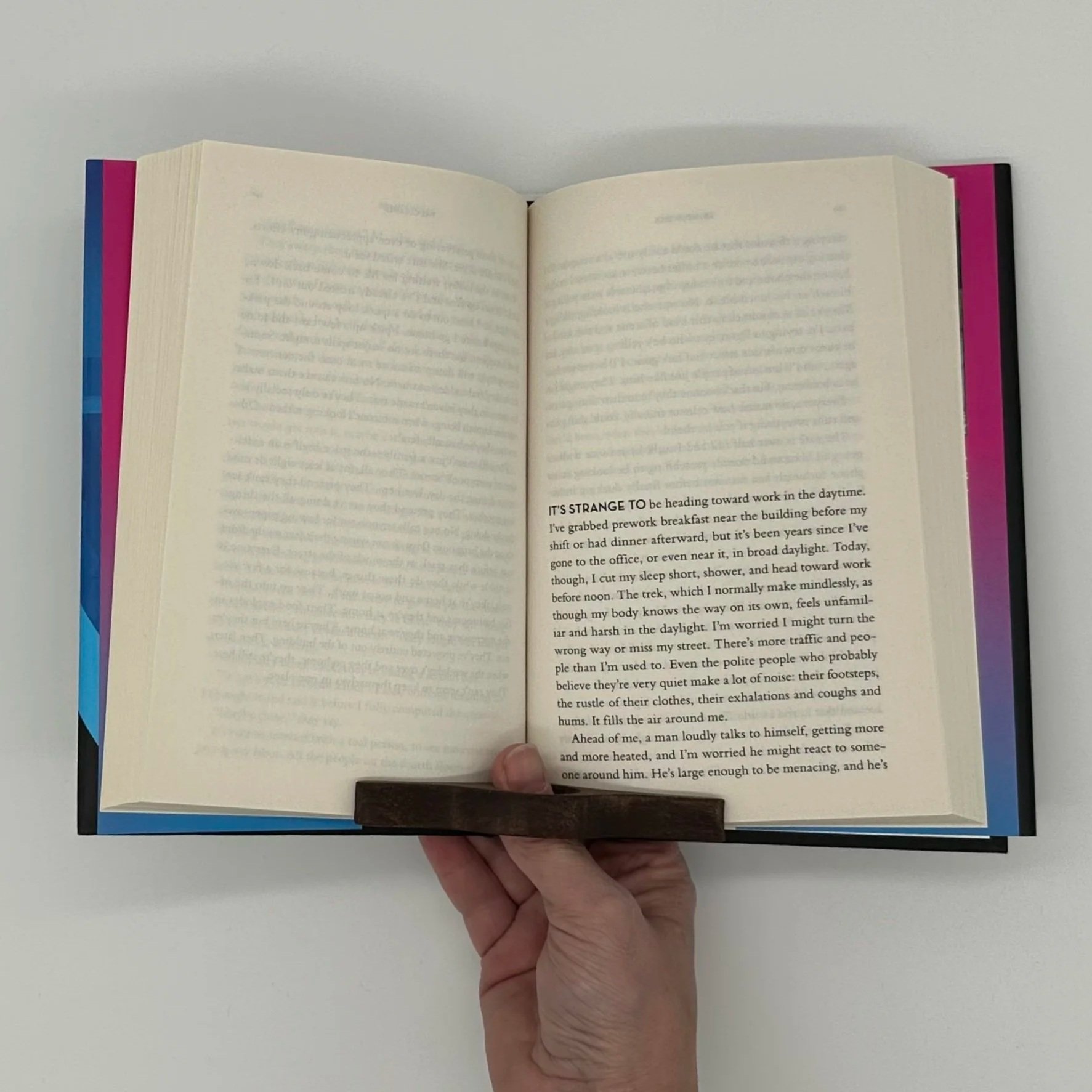
For someone managing arthritis, this can be the difference between reading independently and not reading at all. For someone whose hands will not cooperate the way they used to, it removes a frustration most of us never think twice about.
It looks almost too simple.
Until you hand it to the right person.
Reading Strips
Picture someone reading a page of text. Their eyes reach the end of a line — and instead of dropping to the next one, they land three lines down. Or two lines up. They lose their place, backtrack, try again.
For someone whose eyes struggle to track from left to right without interruption, this happens without end. Every single page.
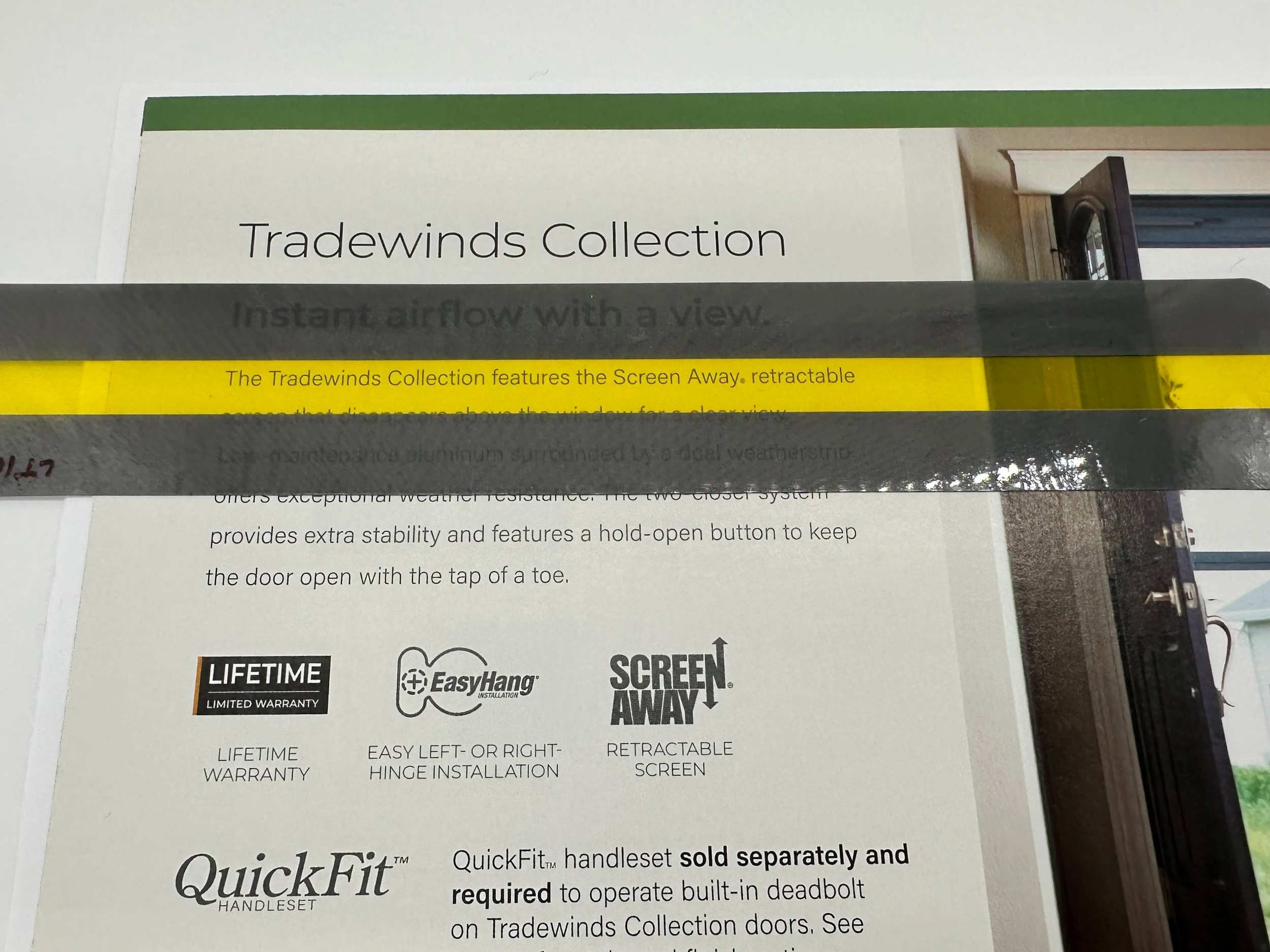
A reading strip lays across the text and highlights one line at a time, giving the eyes a clear path to follow. This method does not fix the underlying challenge, but it removes the obstacle — and that changes everything.
Not everyone needs one line, though. Some readers do better with a wider strip that reveals three or four lines while blocking out the rest of the page. Less visual noise. More focus. Helpful in particular for anyone who looks at a full page of text and feels their attention scatter before they even start.
Magnifiers
Sometimes the most effective solution is also the most straightforward.
A handheld or page magnifier makes text bigger; there is no:
Setup
Charging
Learning curve
Magnifiers are ready to use right out of the package.
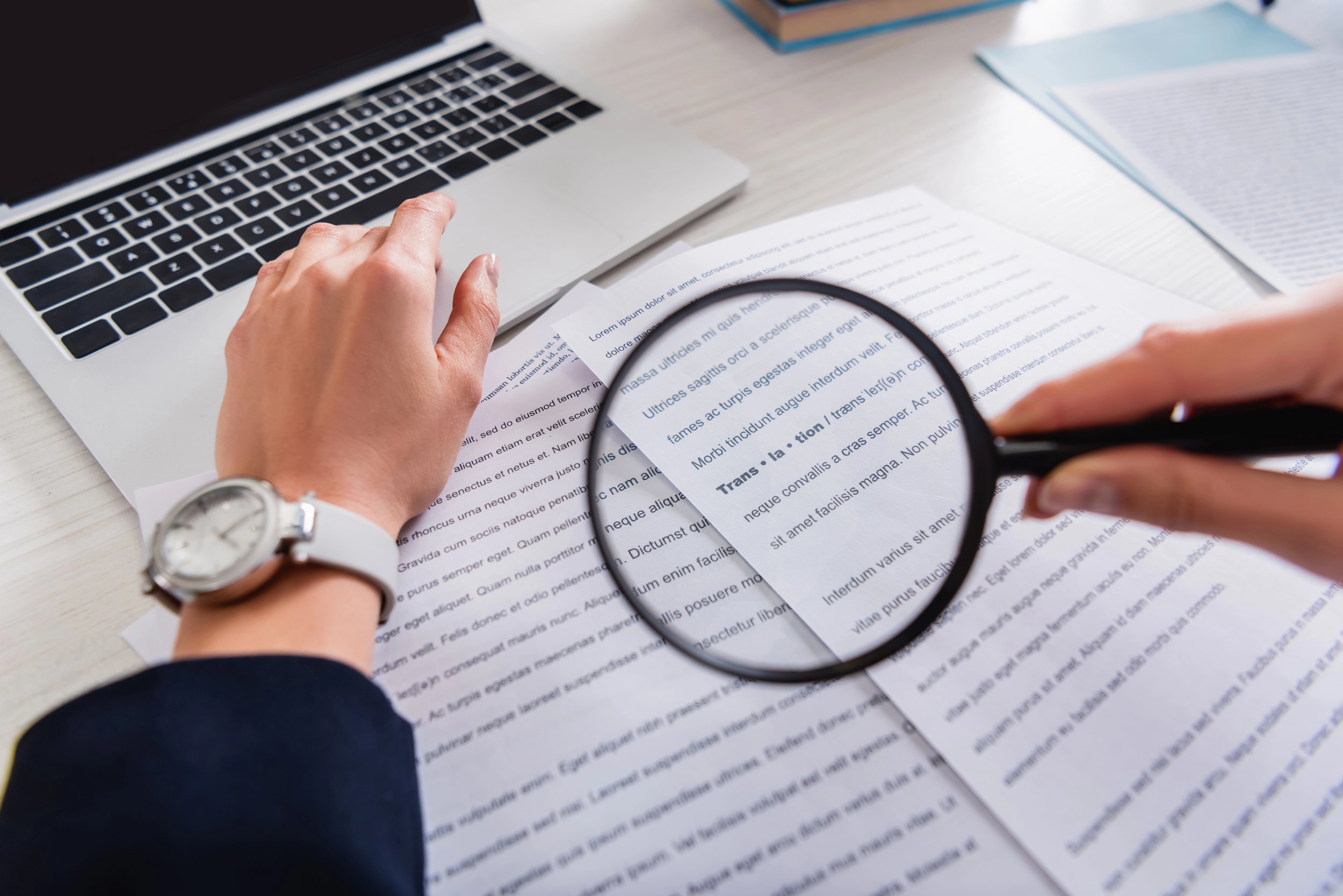
If someone needs text a little larger — or a lot larger — this is an easy, affordable place to start.
High-Contrast Overlays
A colored overlay is a tinted sheet you place directly on top of a page while reading.
This might sound minor.
For some people, it is anything but. Black text on bright white paper creates a glare that makes reading downright uncomfortable for certain eyes — the words seem to shimmer or blur, and the reader cannot explain why. A colored overlay reduces that glare in an instant. Simple, reusable, and easy to try before committing to anything else.
Document Holders, Book Stands, and Easels
Here is the one that surprises people most — including professionals who have worked in this field for years.
Sometimes the problem with reading has nothing to do with the words on the page.
The issue lies in where that page is sitting.
Most of us read with a book or document flat on a table. Which means we look down for extended periods. And that position — neck bent, shoulders rounded, eyes angled low — puts real strain on the body over time. For some people, it causes pain right away.
A document holder, recipe stand, or book easel props the page upright so it sits in front of the reader's face instead of below it. You might walk past one at a home goods store without a second thought.
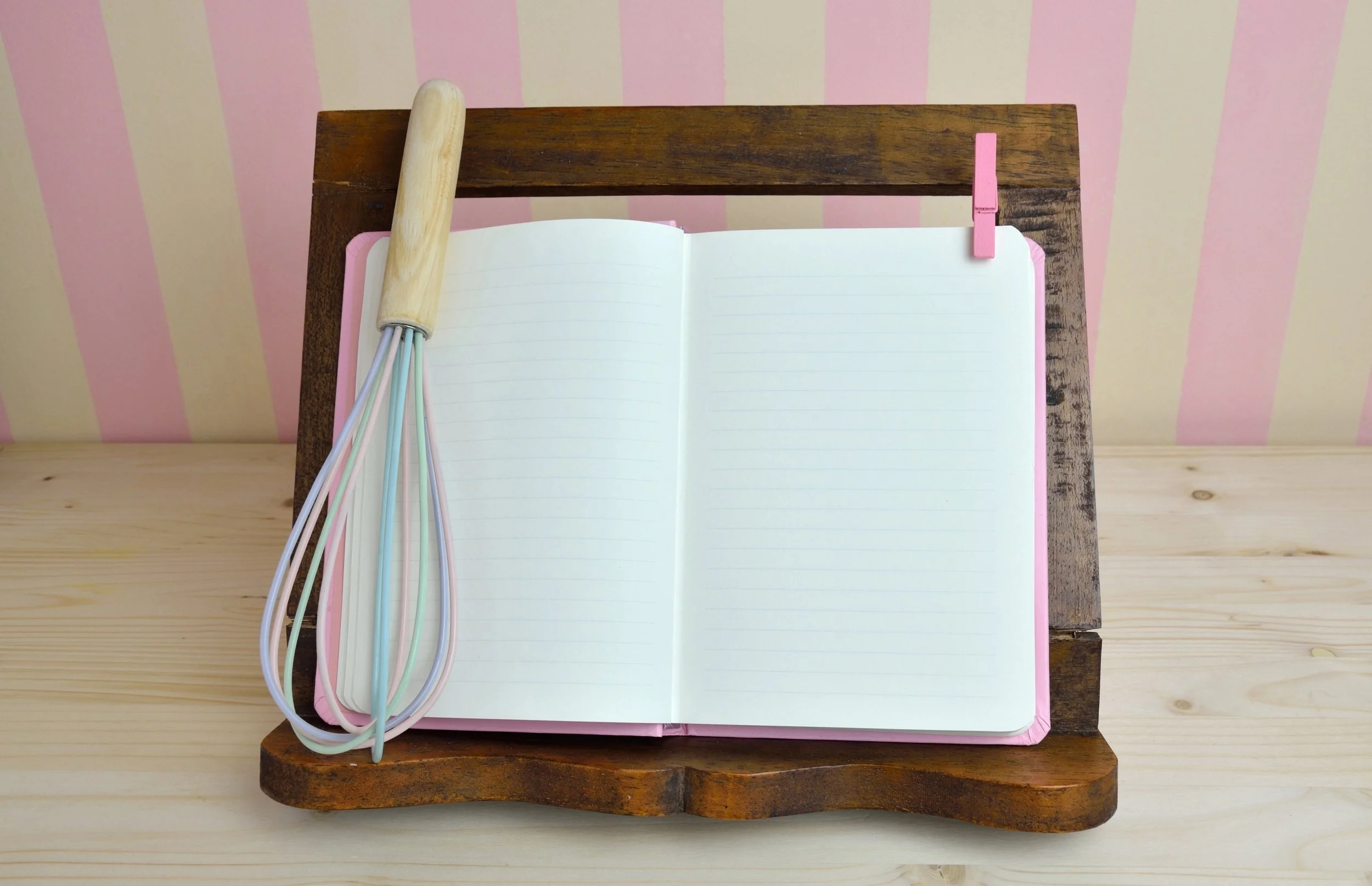
But for the person who has stopped reading because it hurts?
This changes everything.
The Right Tool Is the One That Fits
There is no one-size-fits-all answer here. There never is.
One of these tools might solve a physical challenge. Another might quiet the visual noise enough to focus. Another might simply make reading comfortable again after years of it not being. And many of them do more than one of those things at once. Learn more about improving comfort while reading here. The best tool depends on the person, what they’re reading, and where.
So the next time someone tells you reading has become hard — resist the urge to open an app store. Ask one question first.
What is making it hard?
Start there. The right tool will follow. And it might just be sitting on a shelf waiting to be found — no charging required.
FAQ
What are low-tech tools?
Low-tech tools or low-tech assistive technology is a term typically used to describe any tools that do not require computers or digital devices. This term can be used differently by different people, and sometimes can be more specifically used to describe tools that do not require electricity or batteries. Some people will break this category down even further to describe the tools that do not use power as “no-tech” assistive technology.
What are the tools for dyslexia reading?
Several low-tech and high-tech tools can make reading easier for someone with dyslexia. Colored overlays reduce the visual stress that makes text appear to move or blur on the page. Reading strips help the eyes track one line at a time. For higher-tech options, text-to-speech software reads content aloud, and dyslexia-friendly fonts like OpenDyslexic are available on many devices. The right combination depends on the individual — what works beautifully for one person may not work at all for another, which is exactly why working with an assistive technology specialist can help.
What are the 7 reading techniques?
The seven most commonly referenced reading techniques are skimming, scanning, intensive reading, extensive reading, loud reading, silent reading, and structure-proposition-evaluation (or SQ3R — survey, question, read, recite, review). These techniques are used to match reading speed and depth to the purpose — whether you are searching for a specific fact, studying a textbook, or reading for pleasure. For someone who struggles with reading, pairing these techniques with the right supports and tools can make a significant difference in how much they actually retain.
What are tools for reading?
Reading tools range from simple to high-tech. On the low-tech end, tools include colored overlays, reading strips, magnifiers, book stands, thumb book holders, and large-print materials. On the high-tech end, tools include text-to-speech software, audiobooks, screen readers, and digital accessibility features built into most devices. The best tool is always the one that addresses the specific challenge the reader is facing — whether that is grip strength, eye strain, tracking, comprehension, or focus.
Which is the best gadget for reading?
There is no single best gadget — it depends entirely on why reading is difficult. For someone with low vision, a handheld video magnifier might be the answer. For someone who processes information better through listening, a device with text-to-speech built in could be a game changer. For someone dealing with physical limitations, a book stand or e-reader with adjustable font size might be exactly right. When in doubt, an assistive technology assessment can help identify which tools are the best fit for a specific person and situation.
How to be more comfortable when reading?
A few simple changes can make reading significantly more comfortable. Positioning matters more than most people realize — propping your book or document upright on a stand instead of flat on a table reduces neck and eye strain considerably. Good lighting pointed at the page rather than behind you cuts glare. Taking short breaks every 20 minutes gives your eyes a chance to rest. And for some people, a colored overlay or a reading strip removes just enough visual stress to make reading feel manageable again. Start with one change and see what makes a difference.
What does ADHD feel like when reading?
For many people with ADHD, reading feels like trying to fill a bathtub with the drain open. The words go in, but they do not seem to stay. Eyes move across a line and suddenly land somewhere completely different on the page. A sentence gets read three times and still does not register. It is not a lack of intelligence or effort — the brain is simply working against the task. Tools that help narrow the visual field, like reading strips or overlays, can reduce the distraction of everything else on the page. Breaking reading into shorter chunks, using text-to-speech to follow along while listening, and reading in a low-distraction environment can all help too.





Wondering whether assistive technology would help in your situation?
Innov-AT provides assistive technology assessments, training, and implementation support across Wisconsin — for students, adults, schools, agencies, and employers. If someone in your life is struggling with a task, we can tell you in a short call whether AT is likely to help.