
Introduction to Speech to Text
Speech-to-text (STT) technology converts spoken words into written text using software that understands human speech. This means you can use it to do everything from sending a text message to writing a novel.
STT allows for real-time communication and documentation, enhancing efficiency and inclusion in personal and professional environments.
Quick List of Speech-to-Text Tools
Google Docs Voice Typing – Built-in speech-to-text in Google Docs
Dragon NaturallySpeaking – Professional-grade speech recognition software
Microsoft Dictate – Built in to Microsoft Office tools
Otter.ai – Transcription and note-taking tool that turns speech from meetings into text
Voice Control on Apple Devices – Voice control, including dictation
Dictation in Chromebook Accessibility – built-in Chromebook feature
Aquavoice - AI supported speech-to-text that allows you to edit with your voice
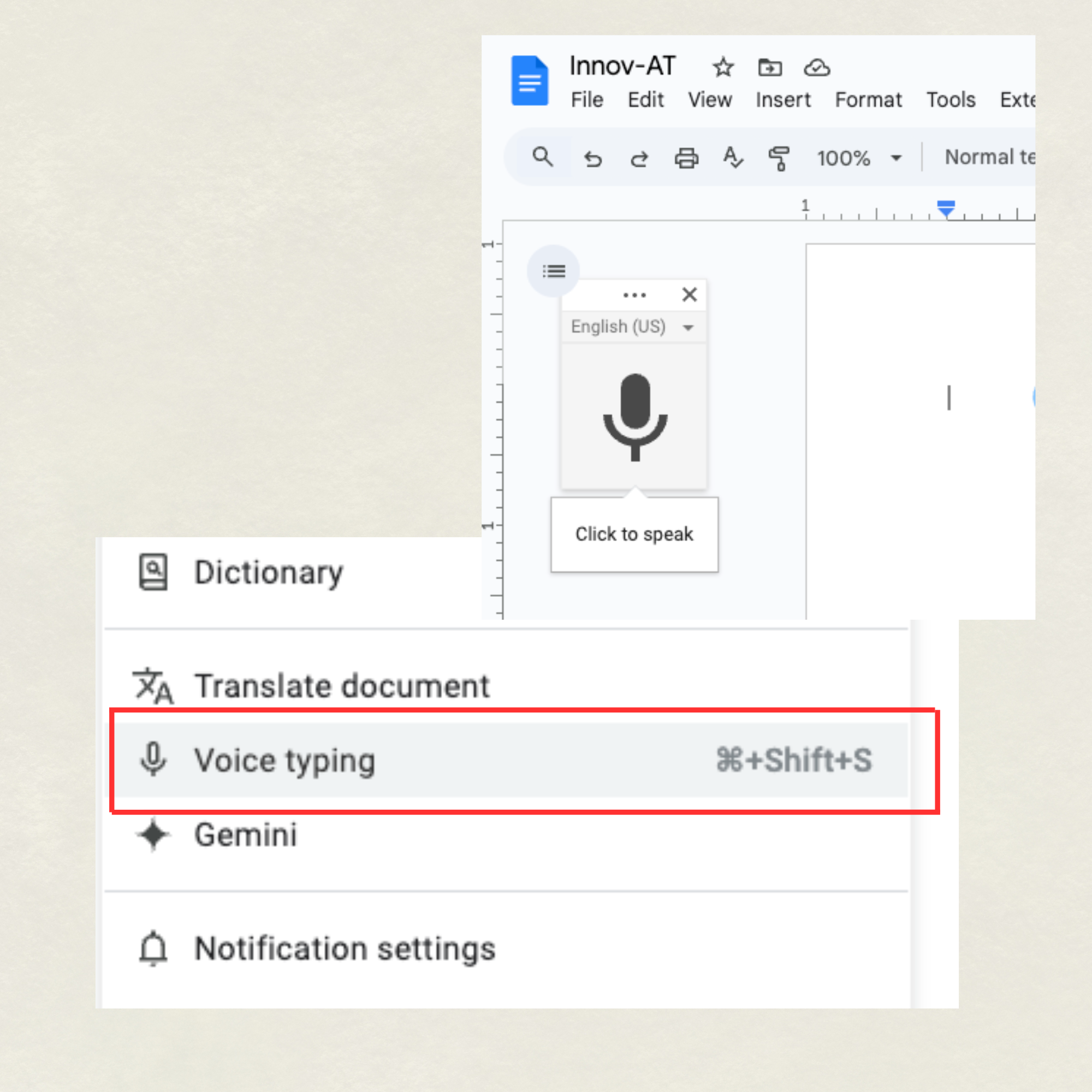
Google Docs Voice Typing
Key Features:
Real-time dictation
Recognizes voice commands for formatting (e.g., "new line," "comma")
Great accuracy with a quiet environment and clear speech
Platforms:
Works in Google Chrome browser on any device (Windows, macOS, Chromebook)

Dragon NaturallySpeaking
Key Features:
Extremely high accuracy
Can control your entire computer with your voice
Learns and adapts to your speech patterns over time
Platforms:
Windows, macOS (limited support)
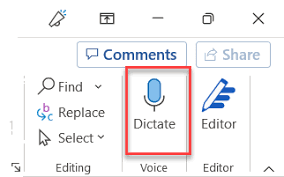
Microsoft Dictate
Key Features:
Available in Word, Outlook, and PowerPoint
Punctuation support via voice commands
Real-time dictation in multiple languages
Platforms:
Windows, Microsoft 365 on web (limited)

Otter.ai
Key Features:
Real-time transcription and saved recordings
Speaker identification
Integrates with Zoom for automatic meeting transcription
Platforms:
Web, iOS, Android
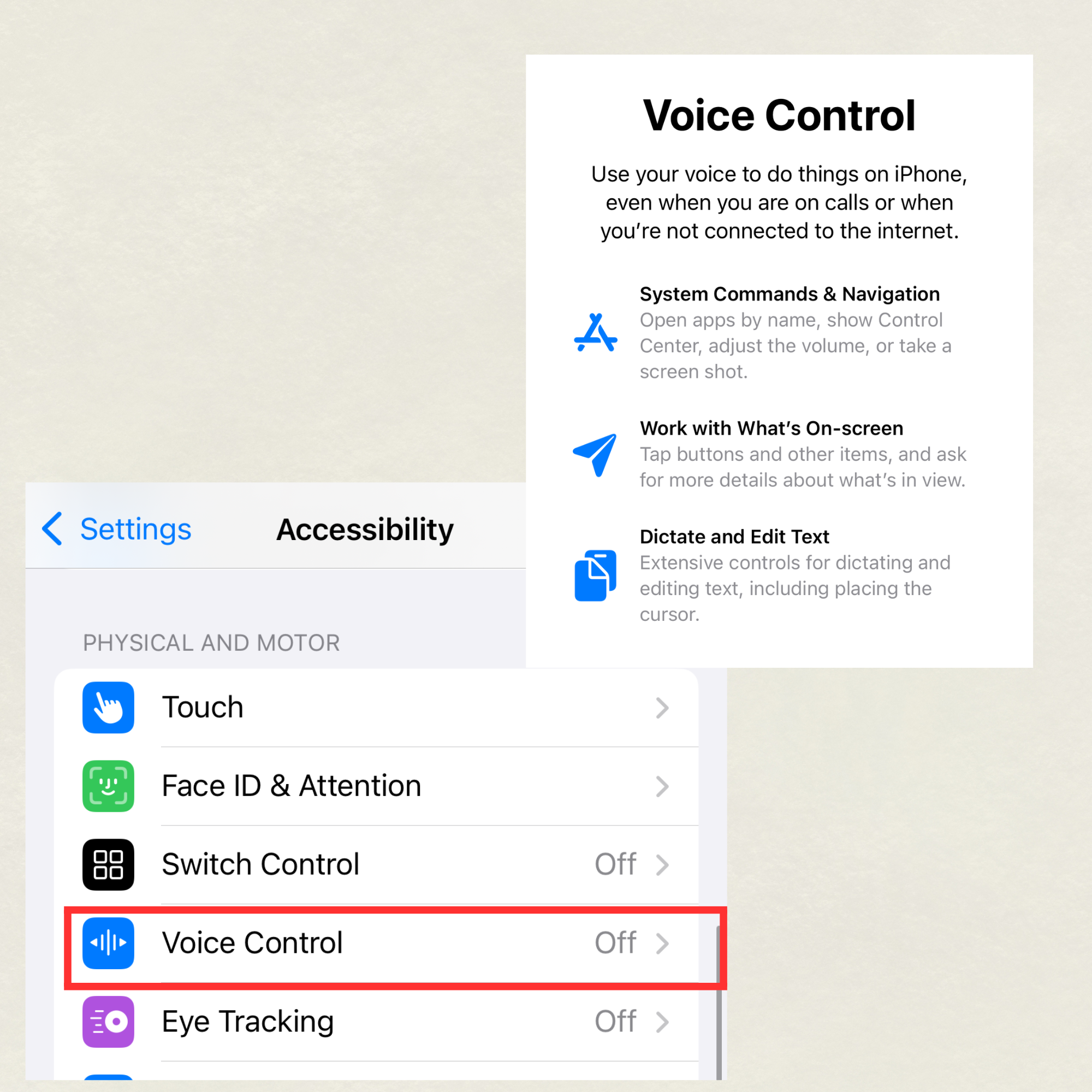
Voice Control on Apple
Key Features:
Full device control with your voice
High-quality dictation
Commands can be customized
Platforms:
iOS (iPhone/iPad), macOS
Dictation on Chromebook
Key Features:
Works anywhere you can type
Turned on through accessibility settings
Simple interface for easy use
Platforms:
Chrome OS
Aquavoice
Key Features:
Customizable interface for users with various disabilities
Simple onboarding and intuitive controls
Cloud syncing and offline access
Platforms:
Web-based with apps for Windows, macOS, iOS, and Android